

For many years, I have been eager to revisit ‘Binman,’ a Windows PC game I had as a child. Unfortunately, the game is incompatible with modern Windows versions, leaving me with two options: locating an older Windows PC with the appropriate hardware or configuring a Virtual Machine. I chose the latter, as it eliminates the hassle of finding a functioning, vintage PC.
I initially opted for a Windows XP VM, as this is the OS on which I’d played the game as a child. Once set up, I installed the game and clicked the executable. I was greeted with an “Unable to create 3D scene” error message.
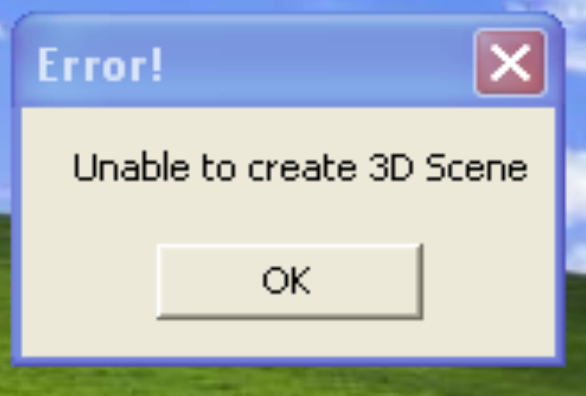
The issue lies with VirtualBox’s Virtual GPU for Windows XP Virtual Machines. Windows XP VMs seem to have very little support for 3D Acceleration. Instead of trying to find a workaround to this issue, which probably doesn’t even exist at the time of writing, I opted to try another OS.
Setting Up Win98
The next OS I decided to try was Windows 98. The reason for me choosing 98 is down to the fantastic SoftGPU software that JHRobotics wrote.
First, install VirtualBox and set up a Windows 98 Virtual Machine (you can find Win98 ISOs if you dig around on the internet) and set up your virtual environment. Next, download and install PATCHMEM, which you can find on Archive.org. This tool, created by the late Rudolph R. Loew, is accessible using the below link: https://archive.org/details/PATCHMEM
After installation, proceed to download and install SoftGPU which can be found on the below link, as well as instructions on how to do so: https://github.com/JHRobotics/softgpu
Select a sound card that fits your needs, and you’ll be all set! (I used the Realtec AC97 drivers that are hosted on the IA: https://archive.org/details/ac97-win95)
Playing Binman 20 years on
Double-clicking the .exe and seeing the game boot up successfully for the first time in nearly twenty years was an amazing experience. The music instantly transported me back to a simpler era, when I was in awe of the new family PC my parents had just purchased. The soundtrack features some truly funky scores, so I’ve decided to upload the entire soundtrack to YouTube for everyone to enjoy:
What do I think of the game? It’s more challenging than I remember! My memories only cover the first 5 or 6 levels, so I doubt I progressed any further back in the day. This time, I managed to get through about half of the game before the difficulty made me give up. The gameplay is enjoyable until enemies start throwing objects at you in the later levels. At that point, it becomes tough to control and slightly frustrating rather than fun. Fortunately, I was able to explore most of the levels using the passwords below to skip ahead in the game:
Level 6 – SKATEBOARDCRAZY
Level 12 – MYOLDMANSADUSTMAN
Level 18 – WHENYOURSMILING
Level 24 – TURNIPSFOREVER
Level 30 – MORRISSEY
Level 36 – NOTTOOSHABBY
Level 42 – NOTFARNOW
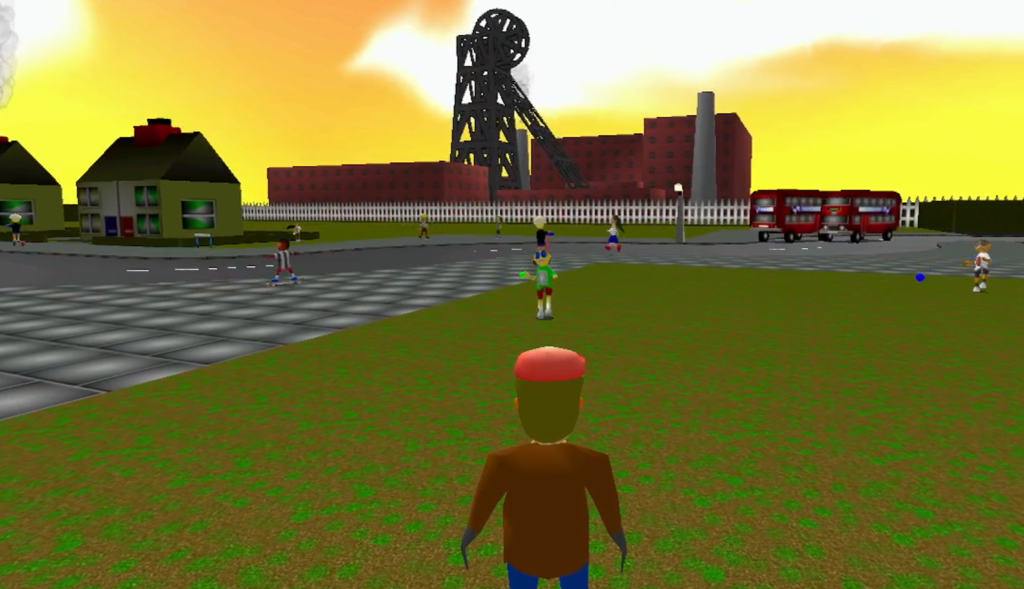
Setting aside nostalgia, I can acknowledge the game’s shortcomings, originally crafted as an affordable option for young children. Nonetheless, the game offers enjoyment in its early stages, and I recommend giving it a try for its pure fun factor. Binman boasts a delightful visual style, capturing the lively atmosphere of bustling English town streets. I especially value the subtle nod to mining towns, still impacted by pit closures a decade earlier, depicted by a large pit wheel spinning in the background of certain levels.
You can find gameplay footage on my YouTube channel below. I initially started this little project since there was no footage at all that shows off the later levels, or the bonus stages. I would love to hear from others who grew up with this game, so please feel free to get in touch!
Leave a Reply